
Never miss a good throw.
Score your round and record your best throws like a pro, with the hole, the distance, the score, your photo, and your disc on the video the moment you hit record.
Free with no ads and no account required.
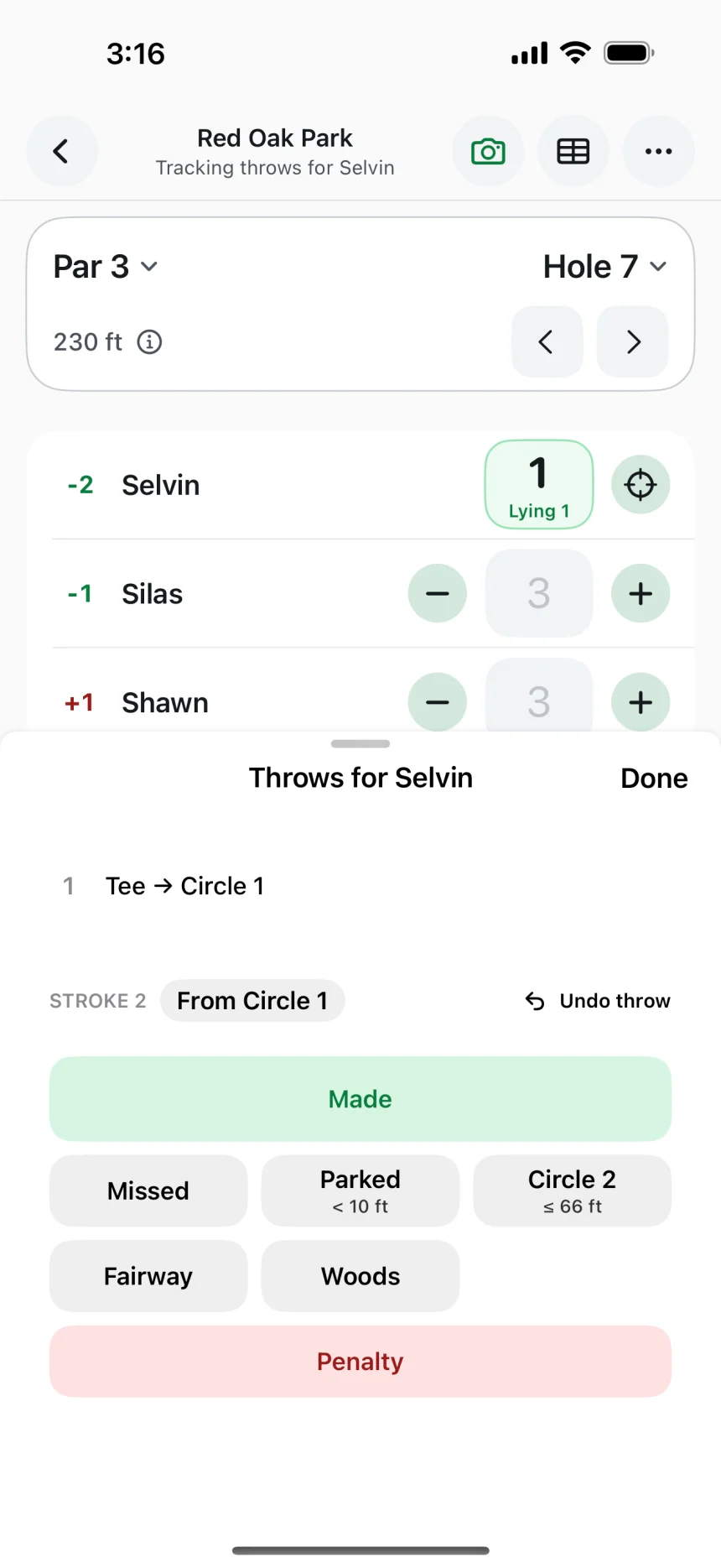
Make every throw look like tour coverage.
Tap Record throw when someone steps up, and Throwday fills in who’s throwing, which hole it is, how far it plays, and how it ended.
The Hole, Throw, and Result overlays come in on their own, and you can add the Disc overlay and fine-tune them all in the editor before saving to Photos or sending it to the group.
- Bring your own clips from Photos, even when a buddy filmed with the Camera app.
- Zoom in after the fact with a quick punch-in or a smooth push, while the overlays stay put.
- Film for your buddies and send each clip with its details, so it lands on the right hole in their round.
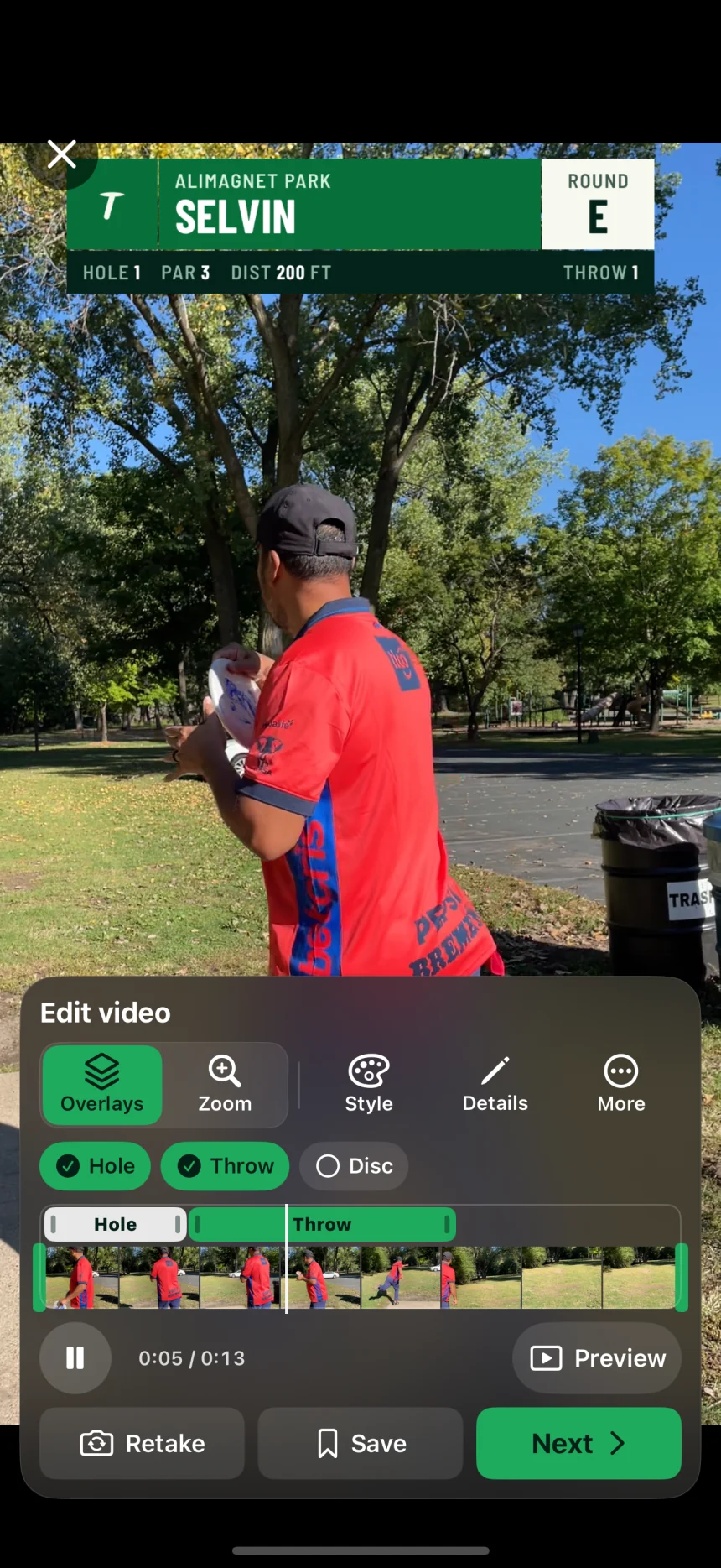
Make the overlays your own.
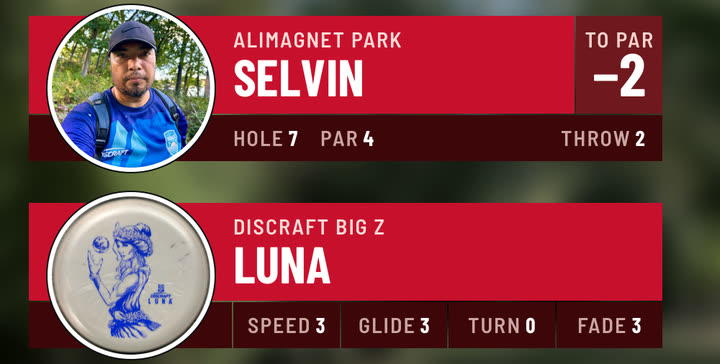
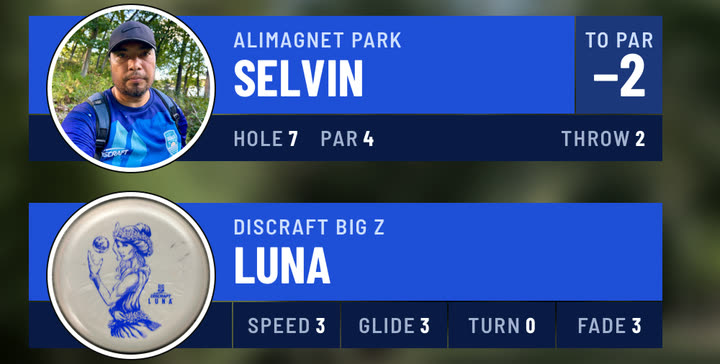
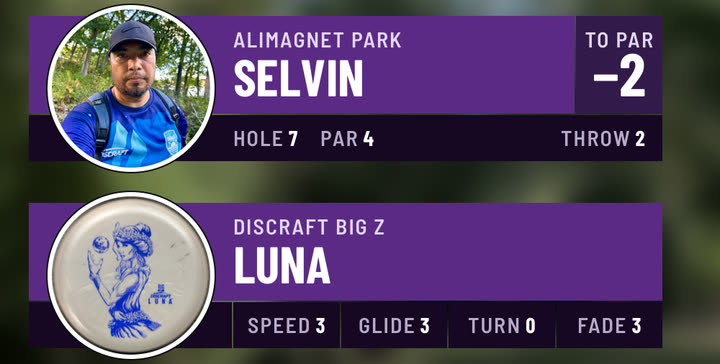
Forest, Red, and Blue each have one bold look, with your round’s score in white on the style’s own deep shade so it reads on any footage.
Make your own in My Styles by picking a main color and an accent, and Throwday builds the header, the score tile, and the band with every name and number easy to read.
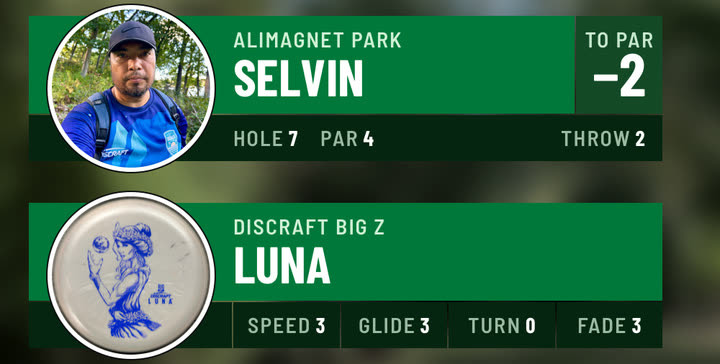
Add your profile photo and a photo of each disc, and your Throw overlay and the Disc overlay show them as big round stickers that spill over the top and bottom.
Keep score as fast as your group plays.
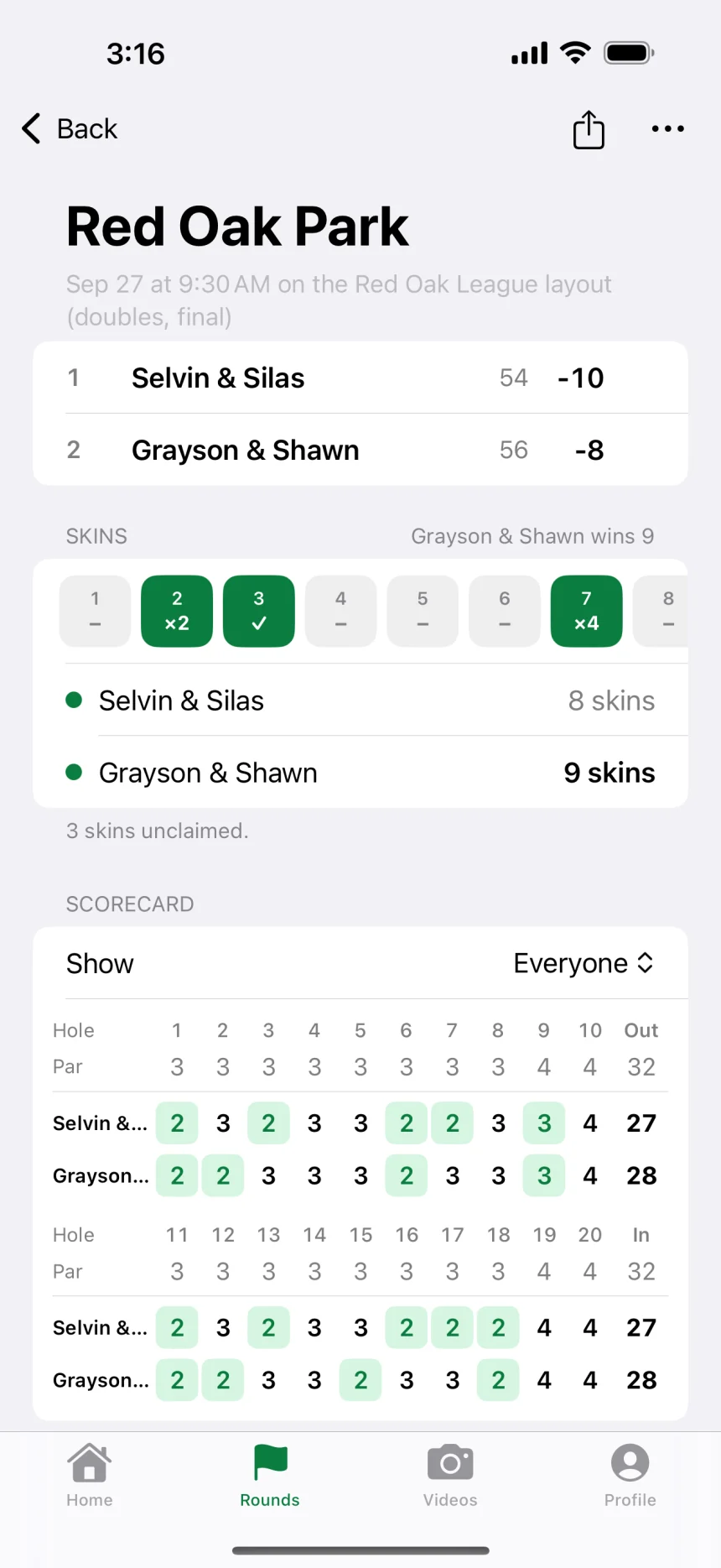
Every player gets a row on the hole, plus and minus start from par, and the order follows honors, so scoring the whole group takes a few taps.
- Track throws when you want the full story of a hole, tee to basket.
- Play doubles with best shot or alternate shot, and add skins when there’s something riding on every hole.
- Celebrate birdies with a burst of confetti when someone goes under par.
Play every layout like your home course.
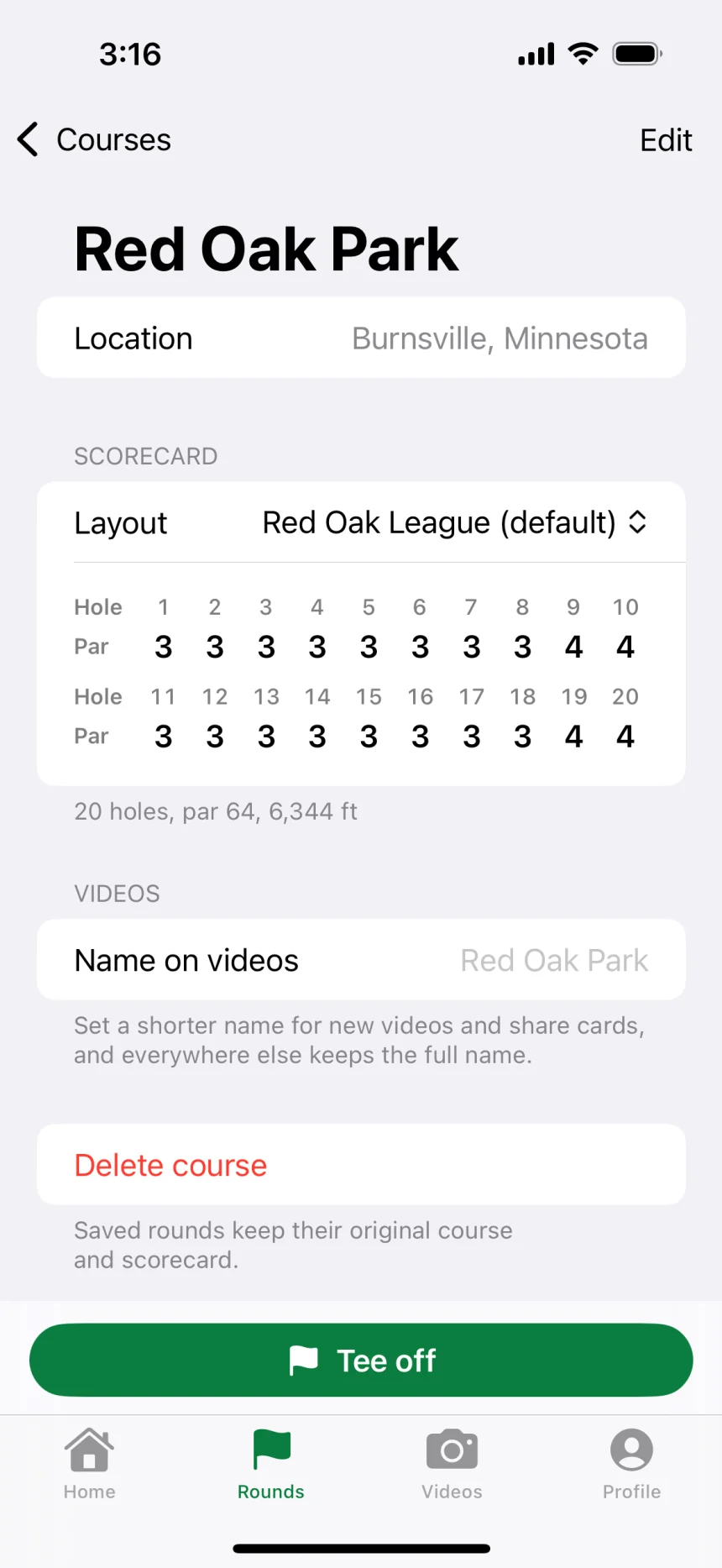
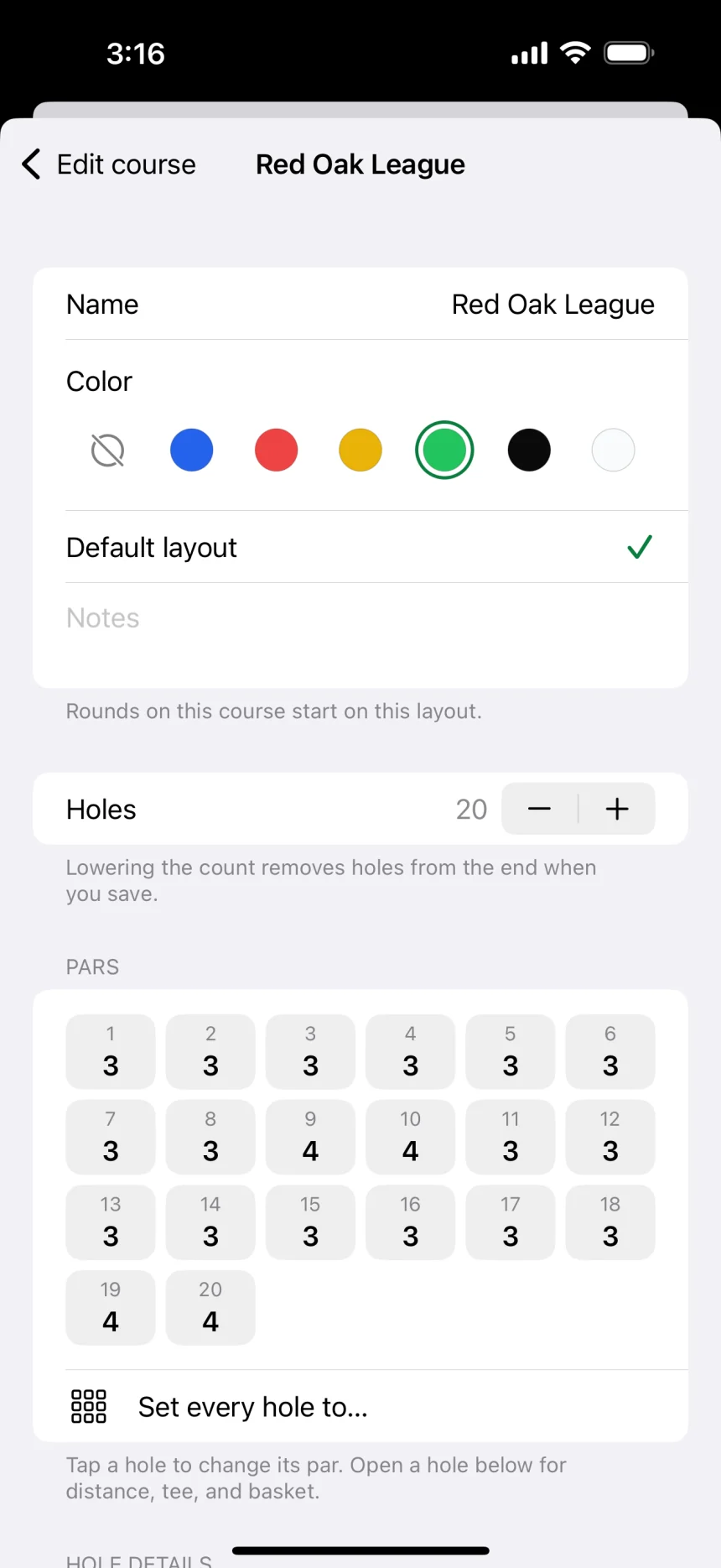
Pull your course from the course catalog or build your own, and save the layouts you actually play, from short tees to your league’s layout.
Give a long course a shorter Name on videos, and your overlays and scorecard images use it while everything else keeps the full name.
When you just want to tee off, start a Quick round and set the pars as you go.
Bring your buddies along, live.
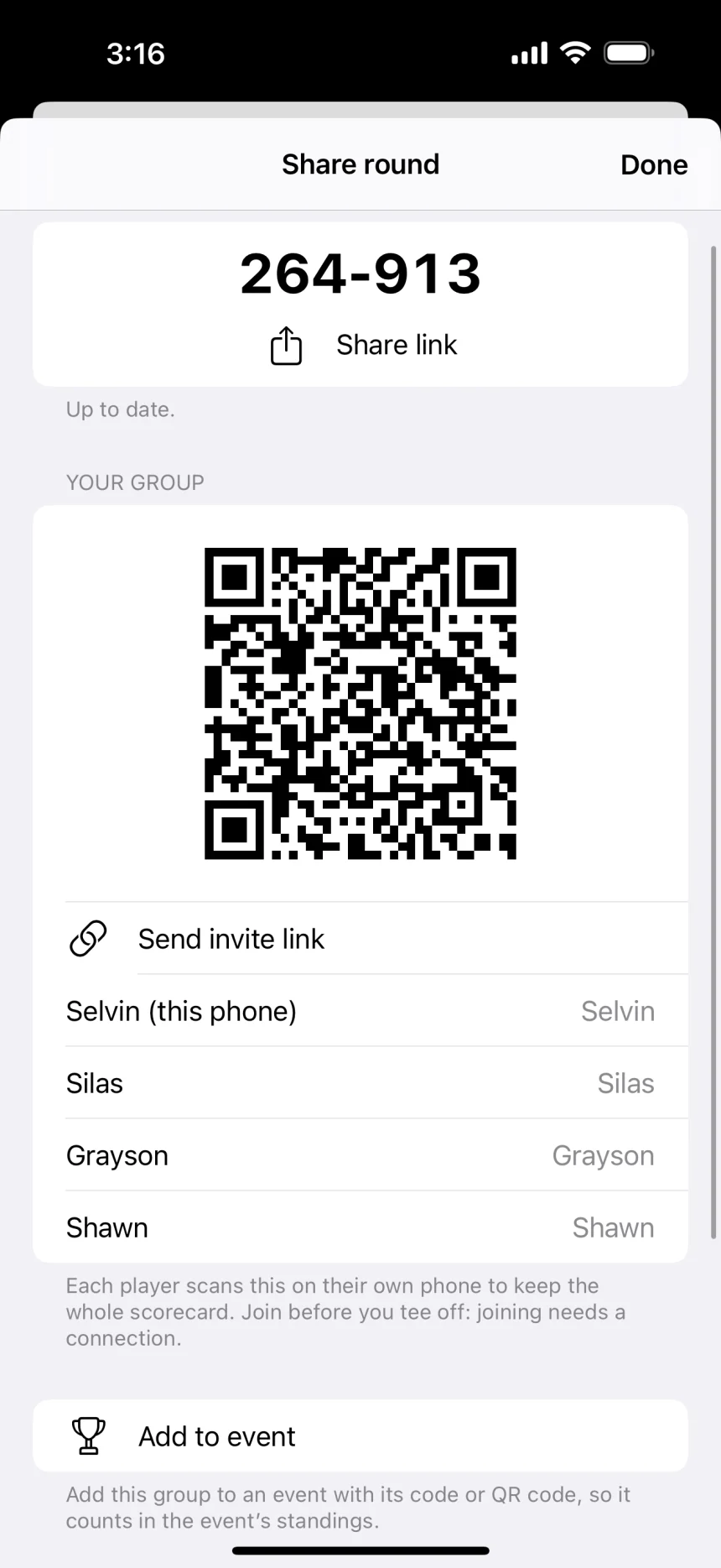
Share your round from the scorecard and anyone with the link, code, or QR code can follow every hole, in the app or any browser, with no account.
Keep score on one phone or let everyone score their own, and when two phones disagree on a hole, Throwday marks it unconfirmed until the phones agree or you pick the right score.
If you have to leave early, hand scorekeeping to someone in your group and they pick up right where you left off.
Run your next event like a pro.
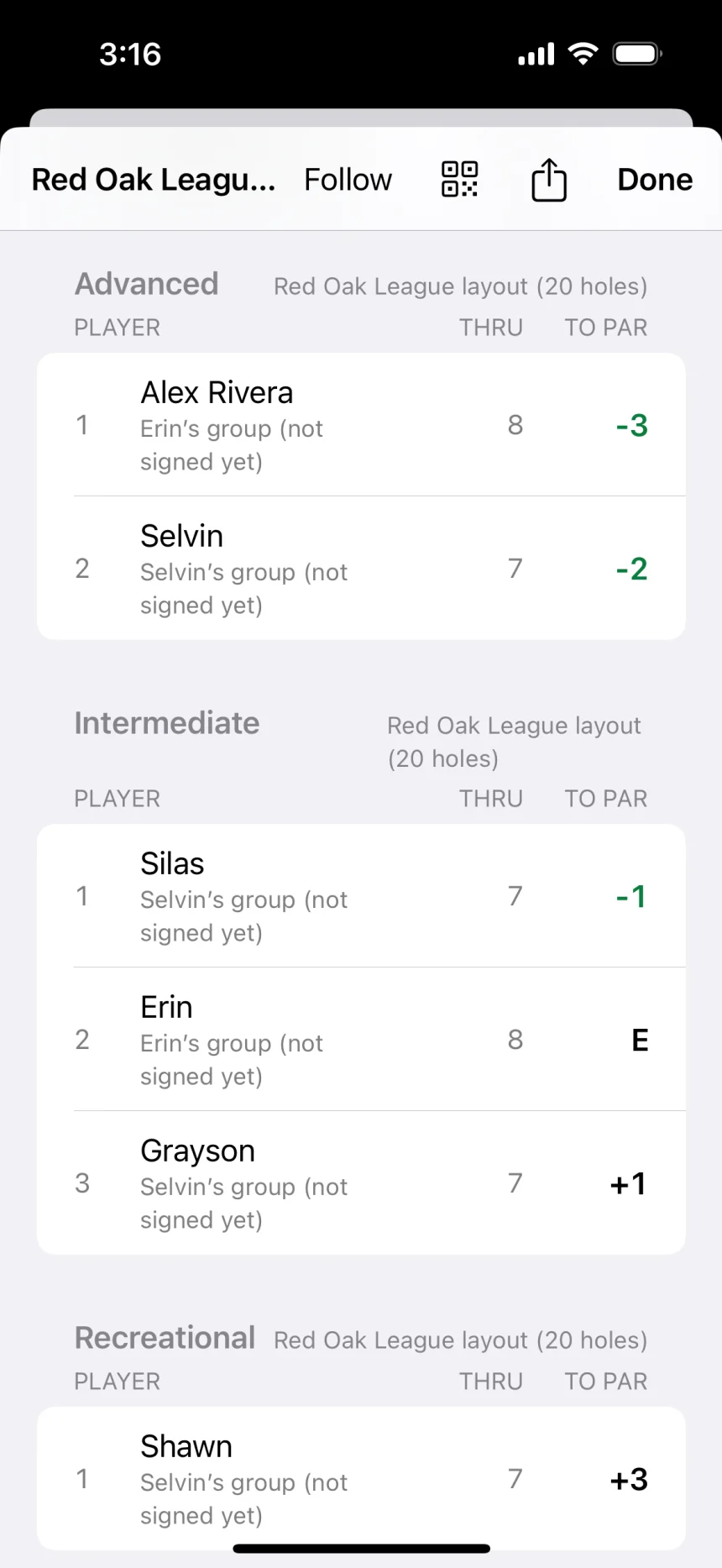
Create an event and every group in the field lands on one live leaderboard, with each player ranked in their own division.
Players check in from their phones, each group keeps its own scorecard, and everyone signs at the end, so you know the results are final before you post them.
Put the leaderboard on a big screen for the field, and hand the event to someone else if you have to leave early.
Post a scorecard worth sharing.
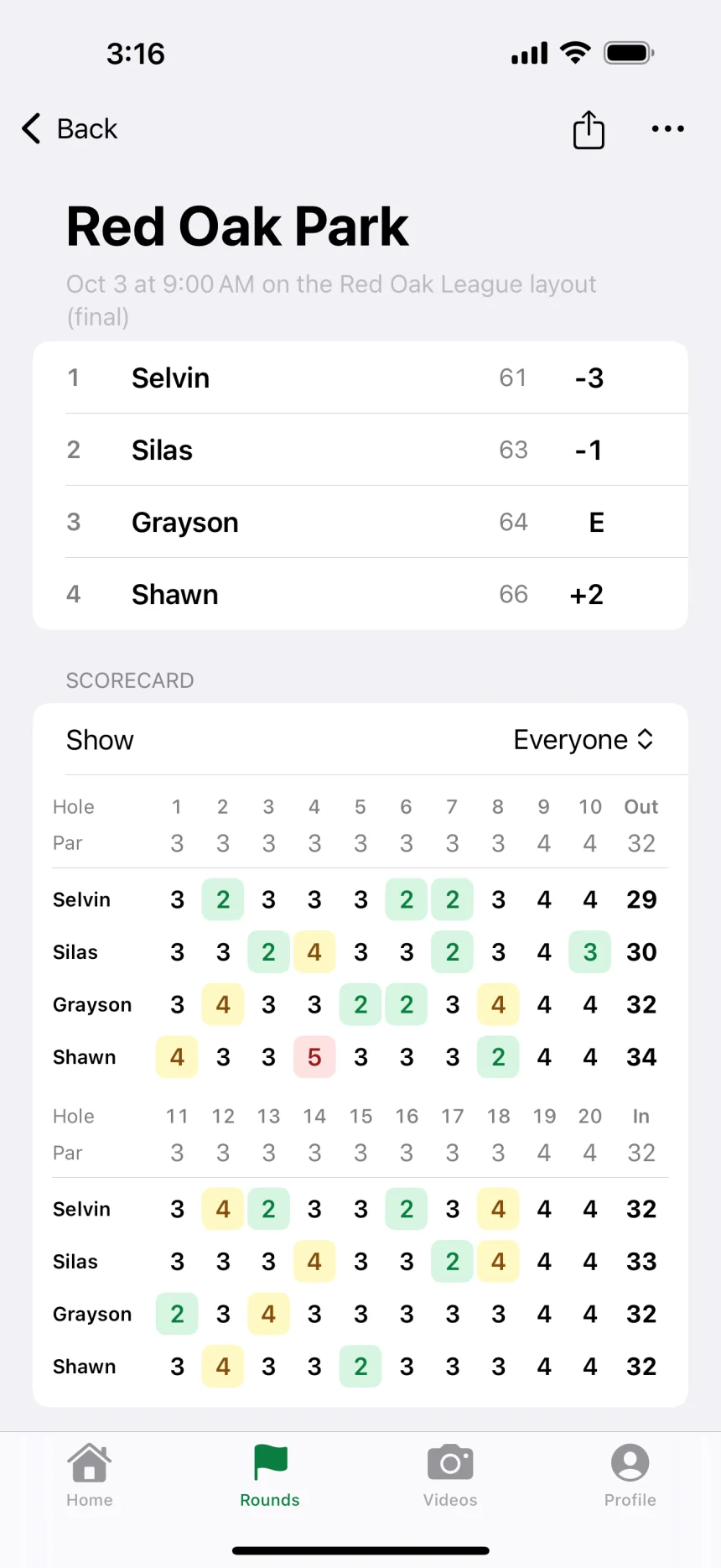
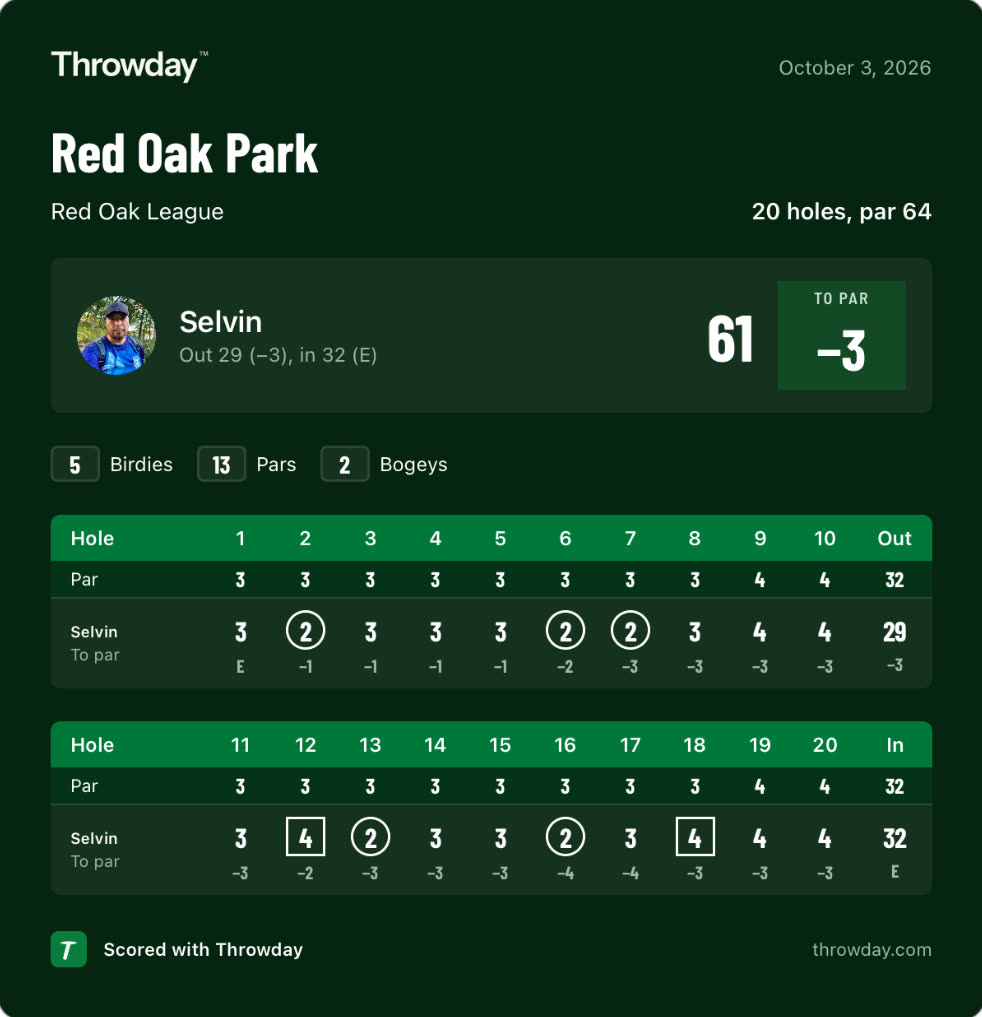
When the round wraps, Throwday turns it into a clean, hole-by-hole scorecard image with every birdie and bogey marked, in any of your overlay styles, ready to post or drop in the group chat.
Pick Story for a tall version that fills a story in your social apps, with your total and every hole at a glance.
Every round stays on your phone, event rounds keep the event and each player’s division, and one backup file takes your rounds, discs, styles, and photos to your next phone.
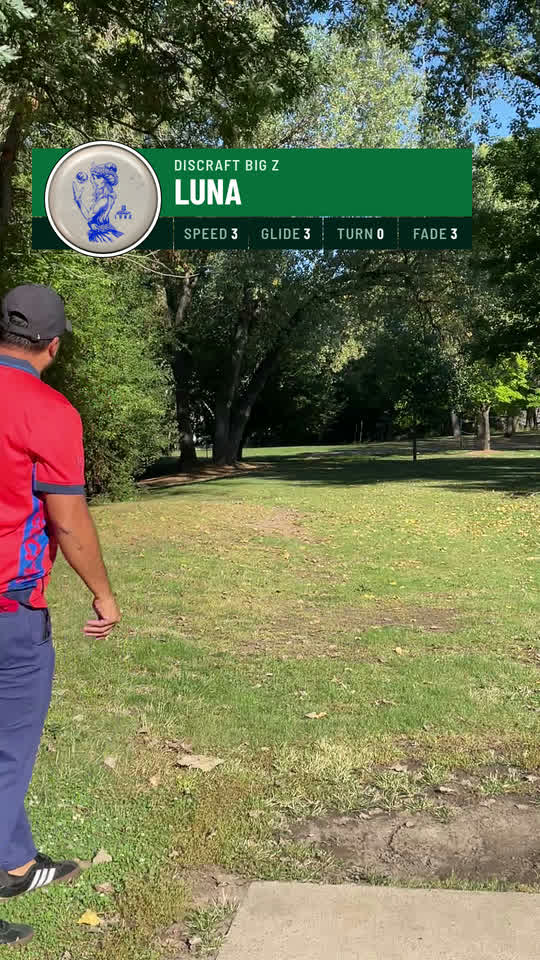
Show off the disc that did it.
Turn on the Disc overlay and the disc goes on the video with the mold, its flight numbers, and its photo as a round sticker (or its color when it has no photo), so nobody has to ask what you threw.
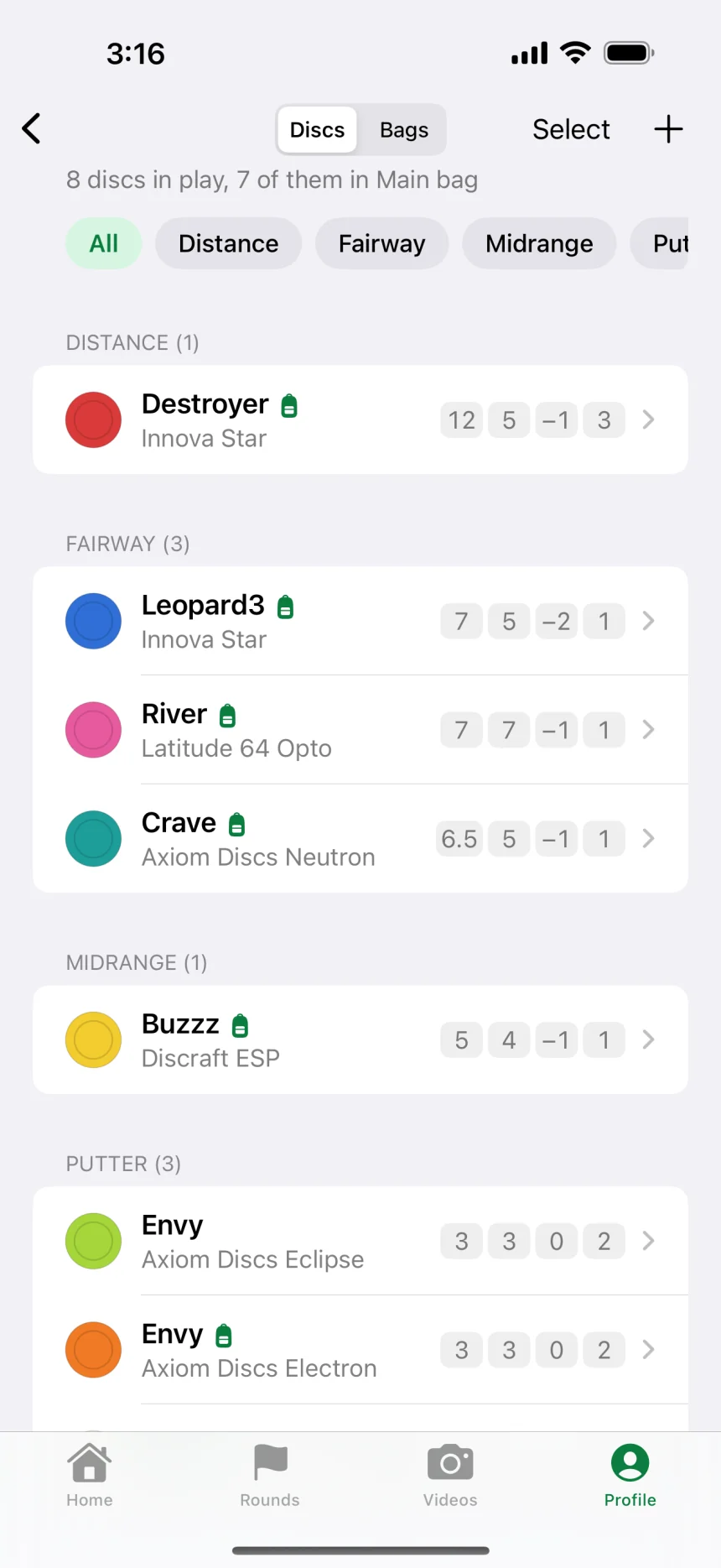
Your bag in use comes first, you can pick the mold a buddy threw for their clip, and Scan disc adds a disc to My Discs by reading the stamp right on your phone.
Your rounds stay yours.
Throwday is built for the course, not for collecting data about you.
No account
Nobody in your group signs up for anything, and your name stays on your phone unless you share a round or check in to an event.
Works without a signal
Keep score with zero bars, and a shared round catches up once you’re back online.
No ads or tracking
Throwday has no ads, analytics, or tracking, and it doesn’t cost a thing.

Why I built Throwday
I’m usually the one keeping score, so I wanted it quick and easy for the whole group.
I wanted to catch our best throws along the way and share the memories from every round.
And I wanted to run our own league night, with every group on one leaderboard.
Throwday is free with no ads and no account. Try it on your next round and tell me what you think.

Before your first round
Get help with ThrowdayWhat does Throwday cost?
Free with no ads and no account required.
Is Throwday on Android?
Not yet. Throwday is an iPhone app (iOS 18 or later) for now, and an Android version is on the way. Until then, your buddies on Android can follow a round or an event in any browser.
Do my buddies need the app to follow along?
No. Anyone with the link or code can follow a round or an event in a browser at app.throwday.com, and nobody needs an account.
Can I keep score without a signal?
Yes. Scoring works without a connection, and a shared round catches up once you’re back online. Searching the course catalog, joining a group, and following live scores need a connection.
What if my course or layout isn’t listed?
Create the course with your own holes, pars, tees, and baskets, and save as many layouts as you need. You can also share it with the course catalog for review if you’d like other players to find it.
Should one person keep score, or everyone?
Either works. One scorekeeper is quick for a casual round. When everyone keeps score on their own phone, Throwday compares the scorecards and marks any hole the phones don’t agree on as unconfirmed until you settle it.
How do events and divisions work?
Create an event, add divisions if you want them, and share its code. Each group joins the event, players check in and pick a division, and the standings rank everyone within their division.
Can I use videos I already took?
Yes. Add a clip from Photos to a hole on the scorecard and it picks up that hole’s details, or import it on its own and type them in. Clips that aren’t vertical can be framed for the video, and adding a clip never changes a score.
How do throw videos work?
Tap Record throw on the scorecard and Throwday puts the Hole, Throw, and Result overlays on the video from your round, then you can add the Disc overlay, pick a style, frame the clip, and zoom in after the fact. Finished videos are vertical 1080p, ready for Photos, Messages, or any social app.
Can I bring my UDisc rounds or courses?
No, Throwday doesn’t import rounds or courses from other apps. Find your course in the course catalog or build it in a couple of minutes, and every round you play from then on stays on your phone.
Can I run league night with it?
Yes for the night itself: check-in, divisions, one live leaderboard, a big screen, and signed scorecards. Throwday doesn’t do season standings, handicaps, entry fees, or payouts, so keep those wherever you track them today.
Where are my rounds and videos saved?
On your phone. Export a backup file in Settings to keep your rounds, courses, players, discs, My Styles, and photos safe or to move them to a new phone. Videos stay in Throwday until you save them to Photos or share them, and they aren’t part of the backup file.

Take Throwday on your next round.
Free with no ads and no account required.
Download on the App Store